 Merciven
XR showroom with gaze analytics
A 3D gallery you can walk through in the browser or a VR headset, measuring live which exhibits hold your attention.
- Organisation
- Imisi 3D, Lagos (XR creation lab)
- My role
- Data & Immersive Realities Intern
- When
- 2024
- Stack
- Three.js, WebXR, JavaScript, Panda3D
Problem statement
XR experiences are usually designed on instinct. Without data on where people actually look, a team can't tell whether an exhibit, lesson or product demo is working.
Objectives & goals
- Measure attention inside a 3D scene
- Run on a laptop, a phone and a VR headset
- Export the data for analysis
- Show the same method in the engines XR teams use
Process
- DiscoverWorked alongside the Imisi 3D VR game team, who built across Godot, Defold and Panda3D.
- DefineChose dwell time per exhibit as the attention measure: under 12 degrees from the centre of view, within 20 metres.
- BuildA WebXR gallery in Three.js, a Panda3D desktop version, and ports for Godot, Unity and Defold.
- ProveScripted visitors, offscreen renders, and browser tests on desktop and mobile.
Who it's for
Want to know which exhibits work.
Want lessons built around what holds attention.
Want evidence from virtual showrooms.
Challenges
- Defining "looking at" in 3D, for a mouse, a touch screen and a headset
- Running one experience on a laptop, a phone and a VR headset
- Testing without a headset or a screen
What I built
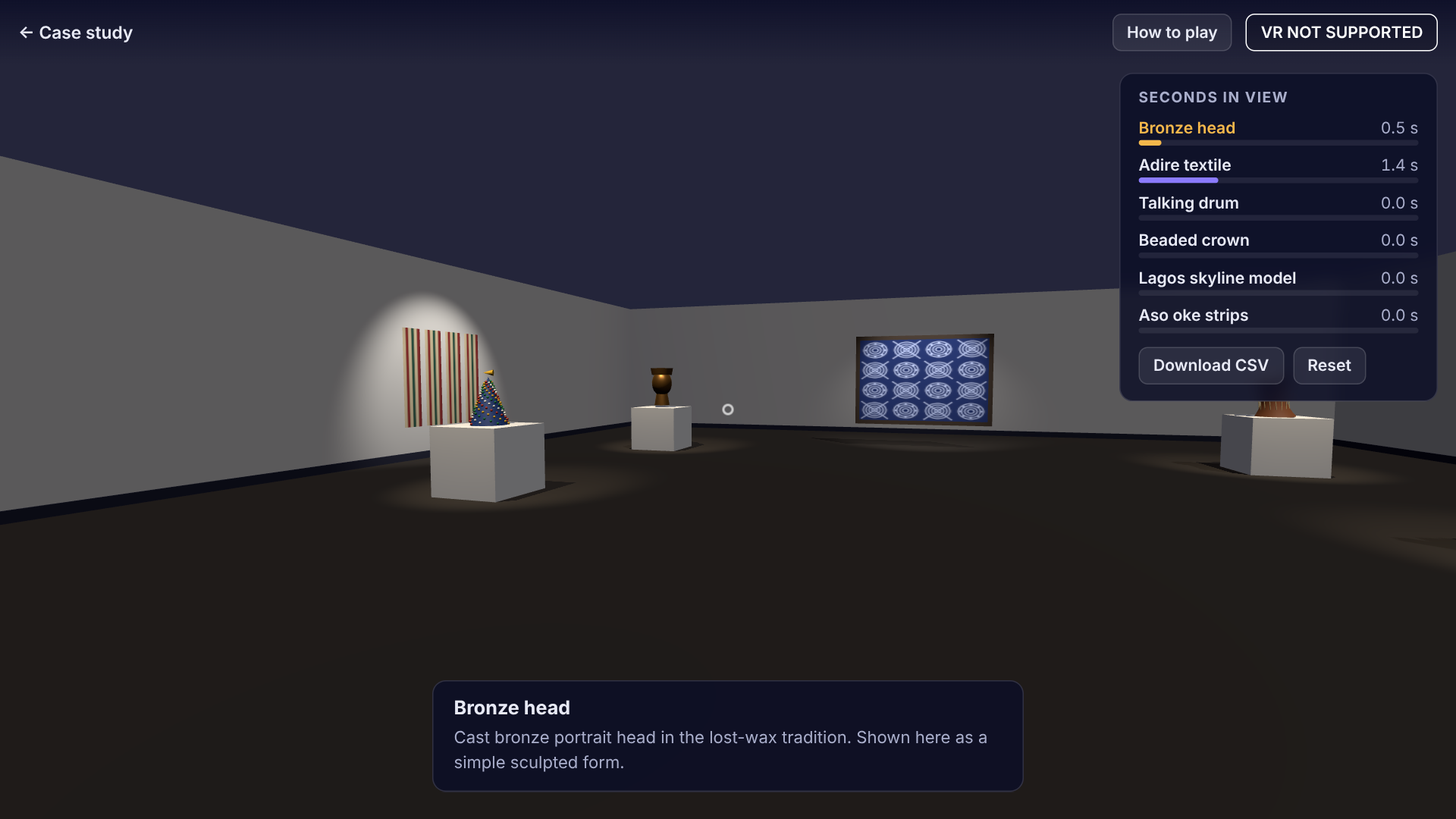
Seconds in view per exhibit, updated as you look around.
Keyboard and mouse, touch on phones, and Enter VR on WebXR headsets.
Download dwell times for analysis in any tool.
JavaScript/Three.js, Python/Panda3D, GDScript/Godot, C#/Unity and Lua/Defold.
Flow
- Visitor walks or looks
- Camera forward vector
- Angle to each exhibit
- Closest under 12°
- Add frame time
- Live panel
- dwell_times.csv
Screens
Tools & languages
The code
The web and VR version, the Panda3D app, and drop-in gaze trackers for Godot (GDScript), Unity (C#) and Defold (Lua).
The repository is private. I'm happy to share it with a hiring team or walk you through it on a call.
Try it in your browser Request a code walkthrough
Samples are written with synthetic data. No client code or client data is used.